One of the foundational values of Partners’ mission is to connect. Connecting individuals and organizations across and within borders drives the everyday work of Partners and its members. To achieve this goal and increase connectivity, Partners of the Americas is pleased to launch online Communities of Practice for members to join and participate in lively discussions on topics and geographic regions relevant to the Western Hemisphere. For decades, members have successfully connected through Chapter partnerships, professional and student exchanges, and volunteer opportunities. Now, these Communities of Practice provide an additional avenue to connect in a virtual environment.

What are Communities of Practice?
• Open to all members interested in connecting and networking with peers and colleagues throughout the Americas with similar interests.
• One of the most personal and engaging ways to get involved with Partners of the Americas.
• Groups that promote discussions and the sharing of knowledge, experiences, and resources among members.
Communities of Practice, found under the “Groups” tab in PartnersConnect (the Partners of the Americas member portal), include the:
• Child Protection Community
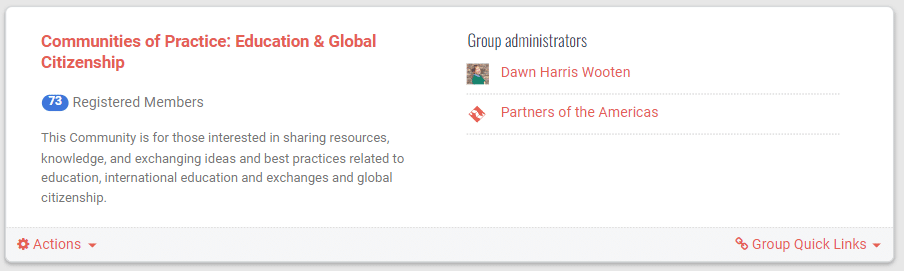
• Education & Global Citizenship Community
• Environment & Climate Action Community
• Region VI: Northern South America Community
• Region VIII: Brazil Community
How do you join a Community of Practice?
1. Navigate to the Membership website, PartnersConnect. You can find the link to PartnersConnect by clicking on the Membership tab on the Partners website.

2. Log into PartnersConnect with your account information.

3. If you do not have an account, create one for free by clicking “Join Us.”

4. Once you are logged into your account, click on the “Groups” tab.

5. If you have joined a group, you will see your list of groups here. Click on “View All” on the left. This will take you to groups that you may join. If you have not joined any groups, you will automatically see all “Available Groups” that you may join.

6. Search through the many groups available or filter your search by selecting “Communities of Practice” in the dropdown menu.

7. After finding the community you’d like to join, click on the “+ Join Group” link. You will then be automatically accepted and able to access the Community.

How can you engage in the Community?
Partners of the Americas encourages you to connect with others across the Americas and the globe and engage with dialogue pertaining to the topic of the Community.
Features within the Community include:
• Group Feed: On the main page of the community, post a question you have, ask for advice, or share resources and information with others within the Community. Those belonging to the Community will be able to reply, like, and share your posts.
• Library: Upload and share files or links with other members of the community. This feature is located under the “Pages” tab in the community.
• Forums: Create a forum topic and thread to have a more targeted discussion about a specific topic of interest.
• Calendar: Check the group calendar for any upcoming events.
Who moderates the Community?